





Having an e-commerce site in today's hyper-competitive digital marketplace is just not enough - you take it to the next level with high performance. Performance impacts user experience, conversion, and your place in search engine rankings. Even a tiny increase in load time can heavily impact conversion rates. Each additional second of load time can decrease these rates by 7% which means lost sales. Not only do slow pages frustrate users, but they also impact the company’s bottom line. When it comes to e-commerce, speed, usability, security of the payment system, and scalability are crucial. These are the foundations of growth in e-commerce.
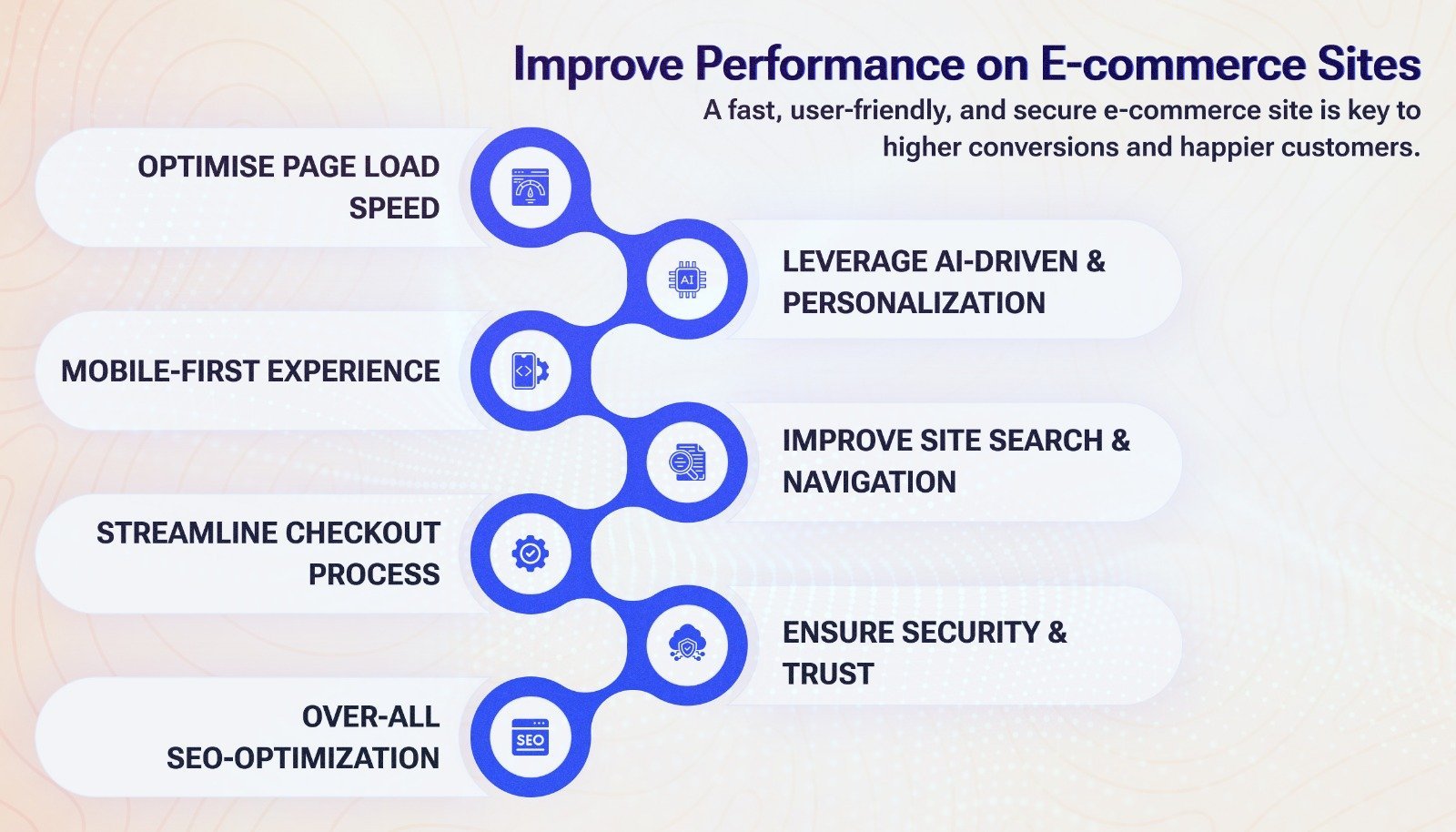
Improve the performance of your e-commerce site, first by optimising page speed. There are a few ways to improve page speed, but it is usually due to a less-than-ideal hosting provider. Another factor could be the overall site code, which is often bloated, and the images that could be compressed. Once a faster speed has been achieved, the second improvement will be to make sure the site is mobile-friendly, as most consumer e-commerce transactions are done using a mobile device. An easy user interface and navigation help users find what they want to buy quickly. Payments should have secure instant payment features, like UPI, digital wallet payments, or one-click checkouts, which will greatly lower the chances of cart abandonment. Lastly, to help identify improvements based on data, use analytical tools to determine user behaviour for adjustments. This will improve the online shopping experience and, with the buyer's trust, will increase the likelihood of greater revenues.
1.Optimise Page Speed
Among all the factors related to performance, speed is the most important. Customers expect website loading to be around 2–3 seconds. You can implement these techniques to improve loading speed:
Resizing and compressing the product image to optimise.
For quick delivery, add a CDN (Content Delivery Network).
Less use of CSS, JavaScript, and HTML files.
Select a hosting platform that provides performance capabilities with scalable servers.
Your users will stay engaged and bounce less, which eventually boosts your bottom line when your site has speed!
2. Ensure Mobile Responsiveness
Mobile commerce accounts for almost 60% of online sales. If your site has a well-made experience for mobile, that will be an investment. Utilise a responsive web design. Having a site responsive based on the resolution size is helpful when your users are on different devices. Run through the navigation experience, check out experience, and payment options on mobile, and ensure ease of use and experience!
Also, your optimised mobile site will help your SEO!
3. Work on User Experience (UX) and Navigation
Customers want freedom and ease while shopping, which should be provided by a well-functioning e-commerce site. Below are key improvements to implement:
Have clear and defined product categories and filters.
Have a defined search bar with autocomplete features that make it more intuitive.
Make sure your product descriptions are high-quality and include reviews.
Clear your checkout funnel of clicks from the home page to the payment page.
When users are free to navigate on your site easily and have a good UX experience, they will likely browse more and make purchases more quickly!
4. Efficient and Safe Checkout Experience
One of the biggest obstacles to e-commerce achievement is cart abandonment. To minimise this:
Payment methods must include a variety of options (credit/debit cards, digital wallets, UPI, and cash on delivery).
Propose a single-page checkout.
Include trust badges and SSL certificates to assure customers of your site’s security.
Include a guest checkout for faster purchases.
The easier it is to safely check out, the more conversions you will achieve.
5. Utilise Caching and Database Management
The process through which data is stored for the users to use frequently is called caching. Caching usually reduces server overload, enhancing the speed of the site. Also, it optimises your database by deleting unused plug-ins, ensuring your software is updated, and cleaning logs frequently. Besides all of that, a cleaner backend will enable smoother operations even in peak traffic.
6. Utilise Analytics and A/B Testing
Enhancing performance is a long-term task. To start that task, one must utilise tools like Google Analytics, Hotjar, or Crazy Egg that will help you to examine user activity. A/B testing (testing the impact of different call-to-action buttons, changes in product page layouts, workflows of checkout, etc.) is a fantastic way to find what helps you generate more conversions and what your customers want. The very fact of utilising data that you are collecting from multiple sources will provide more engagement for customers and encourage you, as the business owner, to continue improving and adapting to your customers' needs.
7. Think About Scalability and Security
It is essential to have an e-commerce site that will allow you to scale capacity as your business grows. There are many different types of technologies, such as Cloud hosting, load balancing, and automatic backup, to ensure some peace of mind during busy times. You will also want to have security features, such as firewalls to protect your business and customers, and fraud detection and updates when needed.
Conclusion
Speed is not everything to improve the performance of your e-commerce site; you also need to provide a seamless, enjoyable, and secure e-commerce shopping experience. Besides improving page load time and mobile response, amplifying the user experience and secure checkout should also be in your checklist. Implementing changes to improve performance is only the beginning. After that, it is required to continue monitoring analytics, run tests, and make improvements to the website to be on top in the market. A fast, secure, and customer-friendly website can only attract new customers, not loyal customers.